Revit is full of useful data, just waiting for BIM teams to benefit from. But, alas, Revit doesn’t make it easy to unearth that data …
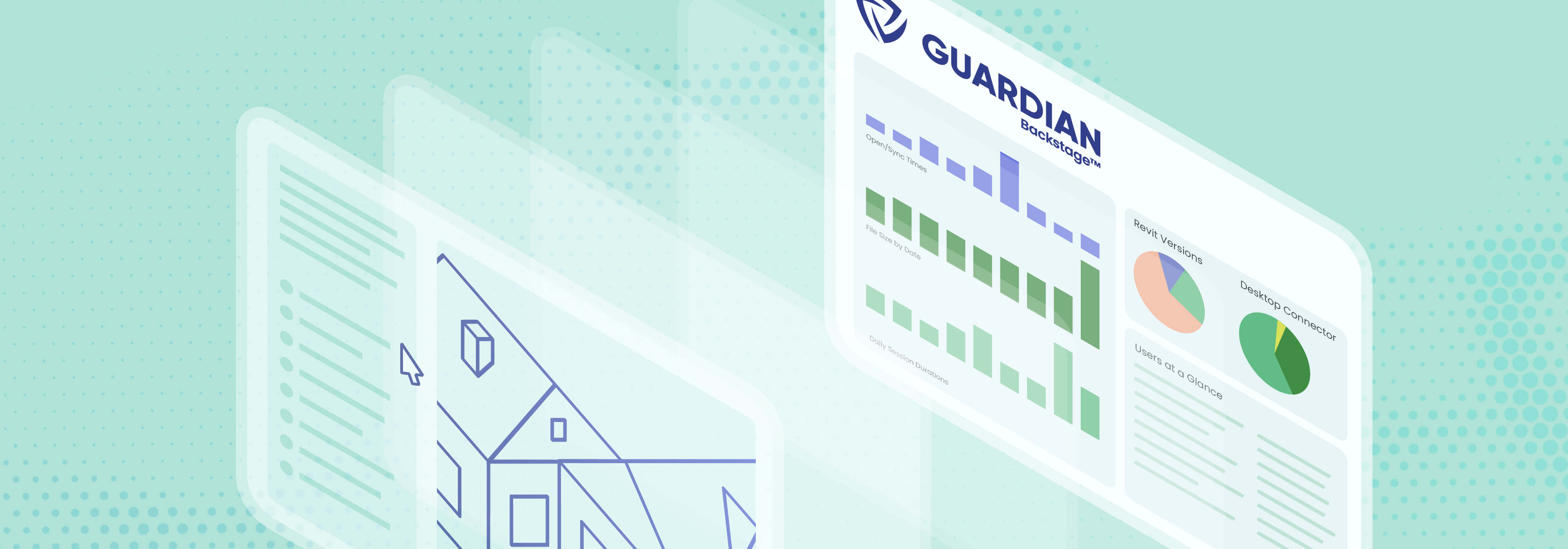
Fortunately, Guardian achieves what Revit resists: deep metrics across every project, end-user, team, and office. Here’s how our Guardian Backstage™ feature lets you see Revit activity data like you never have before.
Missing Metrics
Metrics only matter if BIM managers can easily access the data. That often means manually auditing every model, requiring hours of brain-draining work in the hopes of extracting anything useful.
Often, the time-consuming results still don’t produce the firm-level questions the digital practice leaders really need answered, including:
- Which projects are trending unhealthy?
- Where are standards drifting?
- Which offices or teams need support?
- Which users need the most training?
- Which Revit commands do users need the most training on?
- Which users have the correct software versions installed?
- Is the big initiative actually working?
Manual, per-model auditing is unable to dig deeper into these and other metrics because it doesn’t scale — it only captures a single moment in time instead of all the moments in every model.
True Firm-Level Visibility
Firms see their BIM teams working hard and clients being mostly satisfied with the results, yet they can’t figure out why every deadline feels like such a struggle, and never mind meeting budgets. What they lack is far-reaching visibility into the finer details of the Revit activity data. They can’t view trends over time. They can’t make comparisons across projects, teams, and offices. And they can’t measure progress or setbacks in real time.
Guardian Backstage cuts through the chaos to deliver Revit activity data firms actually benefit from. The drill-down structure of firm>project>user allows you to trace a trend to its source.
Consider these two examples of patterns that can be spotted with Backstage:
- The same improper Revit action appears across multiple projects, which points to a template or training gap — and not an end-user problem.
- One office’s number of warnings curve diverges from others, which suggests something localized is happening and worth investigating.
In both these cases, BIM managers would be lucky to spot the pattern with a manual audit — and only if they knew what to look for. Backstage displays metrics in plain view so that you aren’t chasing the data.
Guardian Backstage in Use
We designed Guardian Backstage to help firms solve the real Revit problems they face but can’t quite wrap their heads around. Through powerful dashboards, you finally see the Revit activity data that’s technically already yours. Here are a few use cases that scratch the surface of Backstage’s capabilities:
Hardware, Software, or User Error?
A pain point we hear from our clients is when end-users ask IT for a new computer because theirs are running too slow and they can’t get their work done. Often, the computer is working fine but the Revit or Desktop Connector version needs to be updated. Or, user error, such as working from Wi-Fi while in Revit, is slowing down performance, but the computer gets blamed. (And let’s be honest, who doesn’t want a new computer?)
Our Installs dashboard allows you to see who, throughout the firm, has which versions of Revit and Desktop Connector installed on their computers. You can even drill down to the specific user to get these details. A simple version update may solve the problem, or the user has it installed, but not turned on — for everyone on the project, not just the individual user with the slow performance — before IT issues a new computer.
Backstage can also help identify if the end-user is doing something that’s messing with the model. The Sessions tab shows how often a user is syncing or if they are leaving the model open for too long (e.g., they forgot to close the model over the weekend). With this information, BIM managers can take steps to help the user improve their syncing habits — for example, using Sync Traffic Control™ to set up reminders to sync more often. The problem is addressed with a training solution instead of a shiny new laptop.
Staffing Resources
The Labels functionality within Registered Projects gives BIM managers a flexible way to organize and segment project data in a way that reflects how their firm actually operates. Labels can be customized around attributes such as region, office, project typology, discipline, or other firm-specific classifications, making it easier to filter and analyze data across the organization. Those same labels can then be carried into Power BI, helping teams and users compare performance, activity, and trends across different parts of the business.
Another interesting use case we’ve seen is using the heatmap within the Syncs tab to quickly get an idea of the syncing habits of all users, no matter their office or time zone. The data can tell a larger story than just when syncing is occurring — the heatmap might offer insight into why users are syncing when they do. For example, if one office is consistently syncing at 11 p.m., are they overworked? Inefficient? Do they need more training? Is something amiss with the model that their days are stretching into nights? The heatmap provides a snapshot from which BIM managers can investigate further and take action.
Firefighting
Previously, figuring out where a concerning trend was occurring was trial and error, and BIM managers might waste time guessing. With Guardian Backstage, firms benefit from an incredible tool to be proactive as well as reactive. You’re putting out fires as they happen, of course, but also seeing where the next one might ignite.
For example, the Commands All tab allows you to look for specific commands being taken by end-users. If elements are being deleted, you can see a before/after screenshot to determine in which active view a deletion occurred and which elements were a part of it. This was a real use case with a client struggling with grids that inexplicably changed every day. The client took the data from Backstage to apply pin and delete protections so that users weren’t easily changing something they shouldn’t.
See the Model, See the World
Firm-level visibility opens a world of opportunities for firms and their BIM teams. Besides solving issues before they become bigger issues, Guardian Backstage allows you to improve best practices and processes, which gives everyone more time to be more efficient, strategic, and creative.
Want to see more real-world use cases of Guardian Backstage? Check out our recent live session that details how our clients have used the functionality to strengthen their digital practices and streamline BIM management.