These firms and more rely on Guardian for Revit to reach their full BIM management potential.

Company logo
Company logo
Company logo
Company logo
Company logo
Company logo
Company logo
Company logo
Company logo
Company logo
Company logo
Company logo
Company logo
Company logo
Company logo
Company logo
Company logo
Company logo
Company logo
Company logo
Company logo
Company logo
Company logo
Company logo
Company logo
Company logo
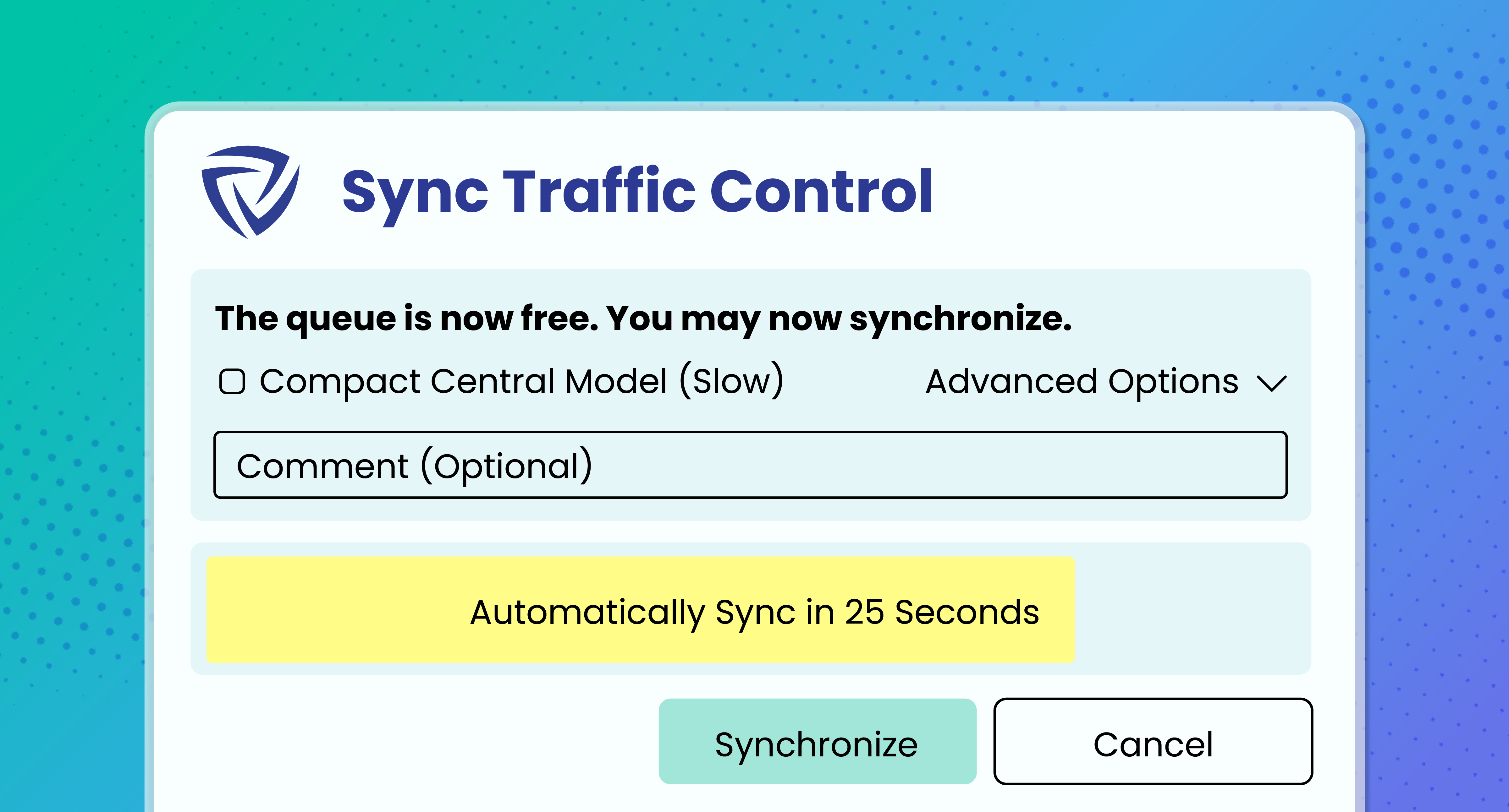
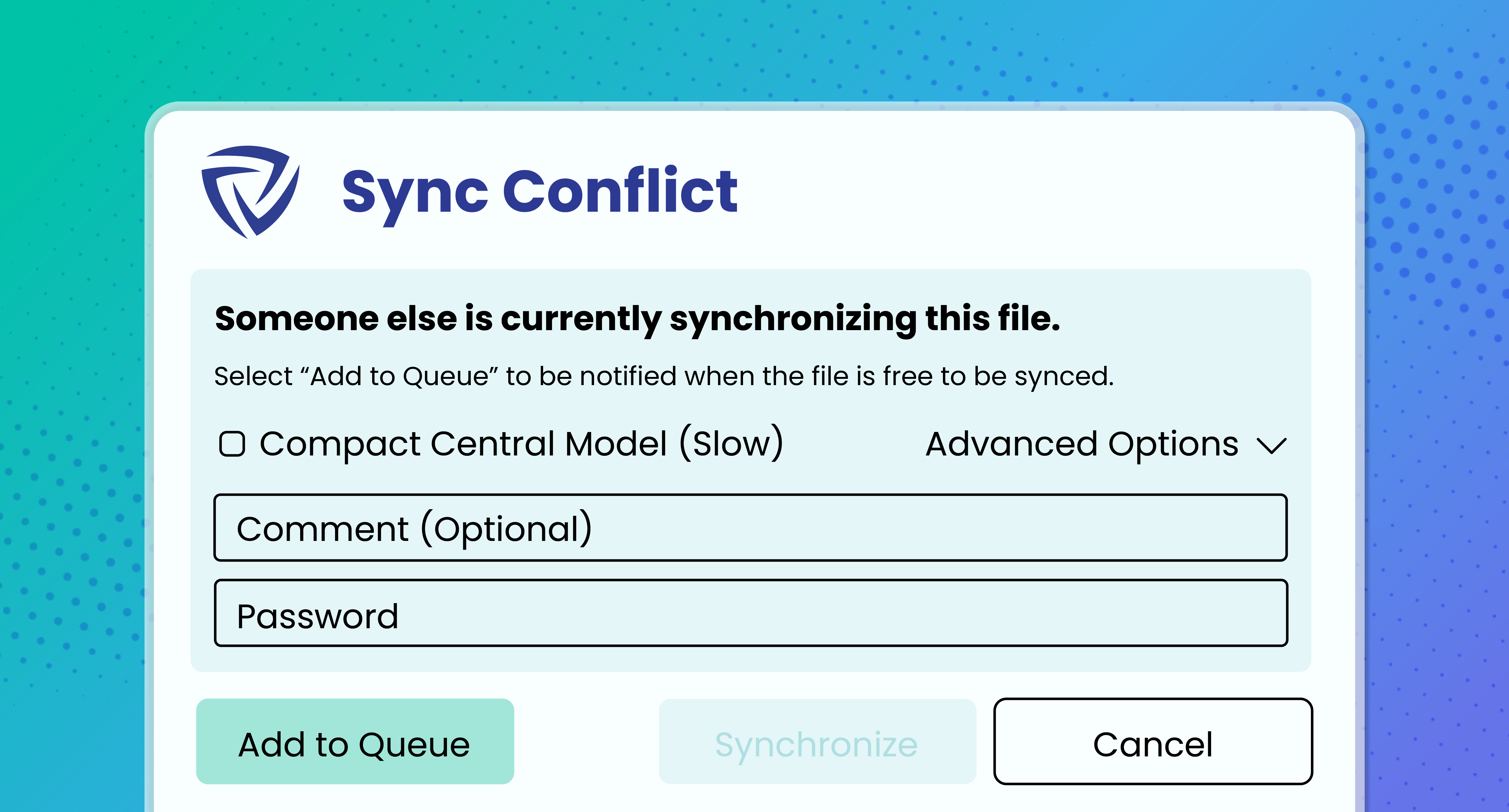
Sync Traffic Control message
What Is Sync Traffic Control?

Avoid the Queuing Quagmire

With multiple users working on the same project at the same time, syncing can get chaotic — if users remember to sync at all. Our automatic sync queue protects completed work, encourages healthy syncing habits, and eliminates the need for spreadsheets or chat channels to sort out the traffic jam.

Benefits

Sync in Perfect Harmony

Sync issues shouldn’t slow your projects down. With Guardian’s Sync Traffic Control, teams can focus on design execution while Guardian helps keep Revit moving.
Reduced Downtime

Time spent waiting to sync a model is time wasted — and every minute matters when deadlines loom. In the aggregate, those minutes add up quickly. Sync Traffic Control helps cut down the wait so users can stay focused on the work that matters.

Protected Work

Nothing is more frustrating for Revit teams than losing hours of progress because of a failed sync. Sync Traffic Control addresses the underlying issues that cause sync problems, helping ensure completed work gets synced and project teams keep moving.

Muscle Memory

Users are human. They may forget to sync or make syncing less of a priority, especially if they’re forced to wait longer than expected. Sync Traffic Control uses customizable reminders for users when it’s their time to sync and alerts them if they haven’t synced in a while.

How It Works

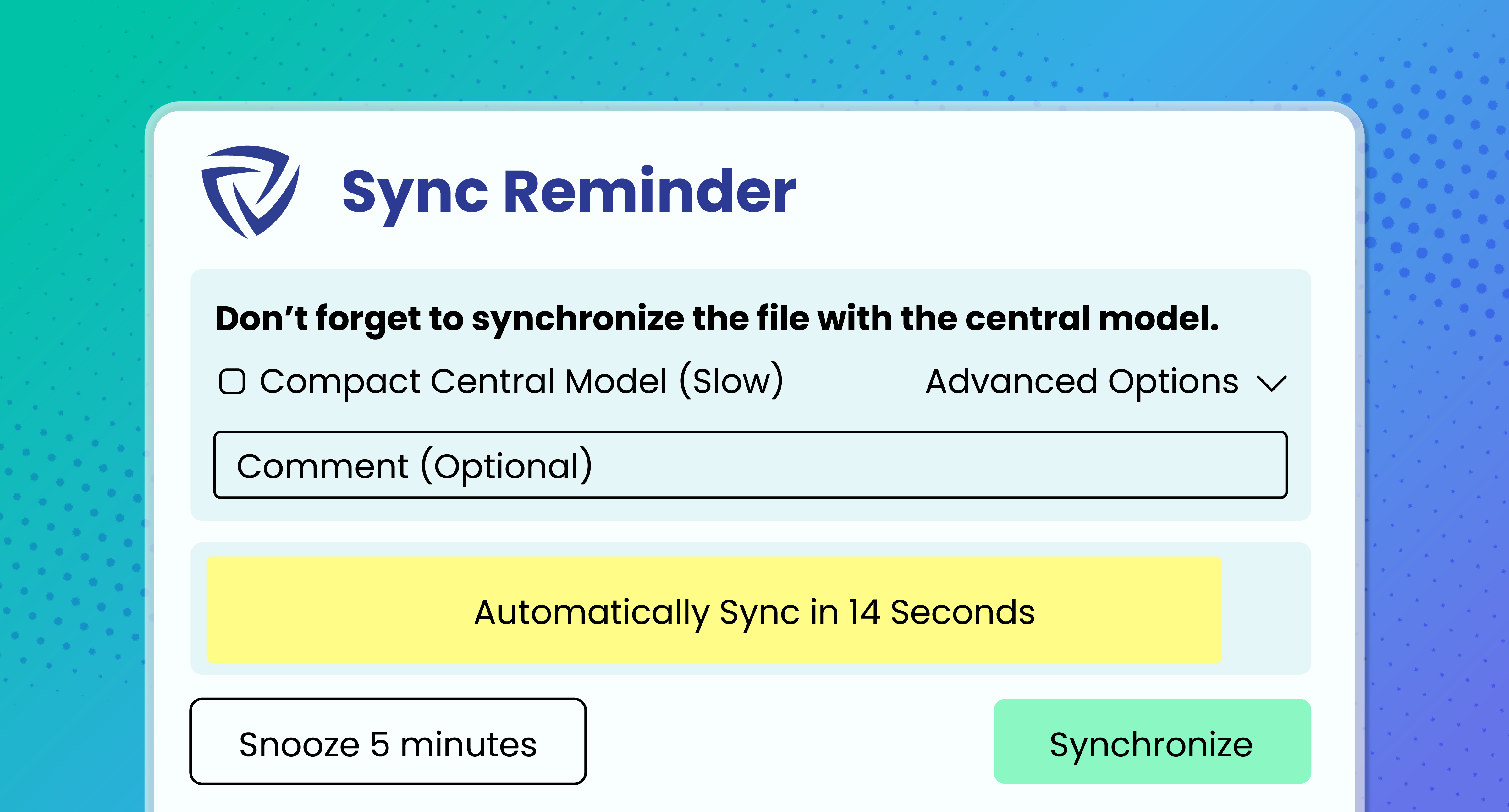
If a user is the only person syncing, Guardian prompts them to sync. If they don’t respond, a two-minute countdown begins, and Guardian starts the sync when the countdown ends.
When a user selects Sync with Central while someone else is already syncing, Guardian lets them know and guides them to join the queue. Once the current sync is complete, Guardian prompts the queued user that it is their turn to sync.
Reminders can be set to prompt users to sync if they haven’t done so in a while. The reminder frequency can be customized to align with the firm’s project types, workflows, and culture, helping teams find the right sync cadence without overdoing it.
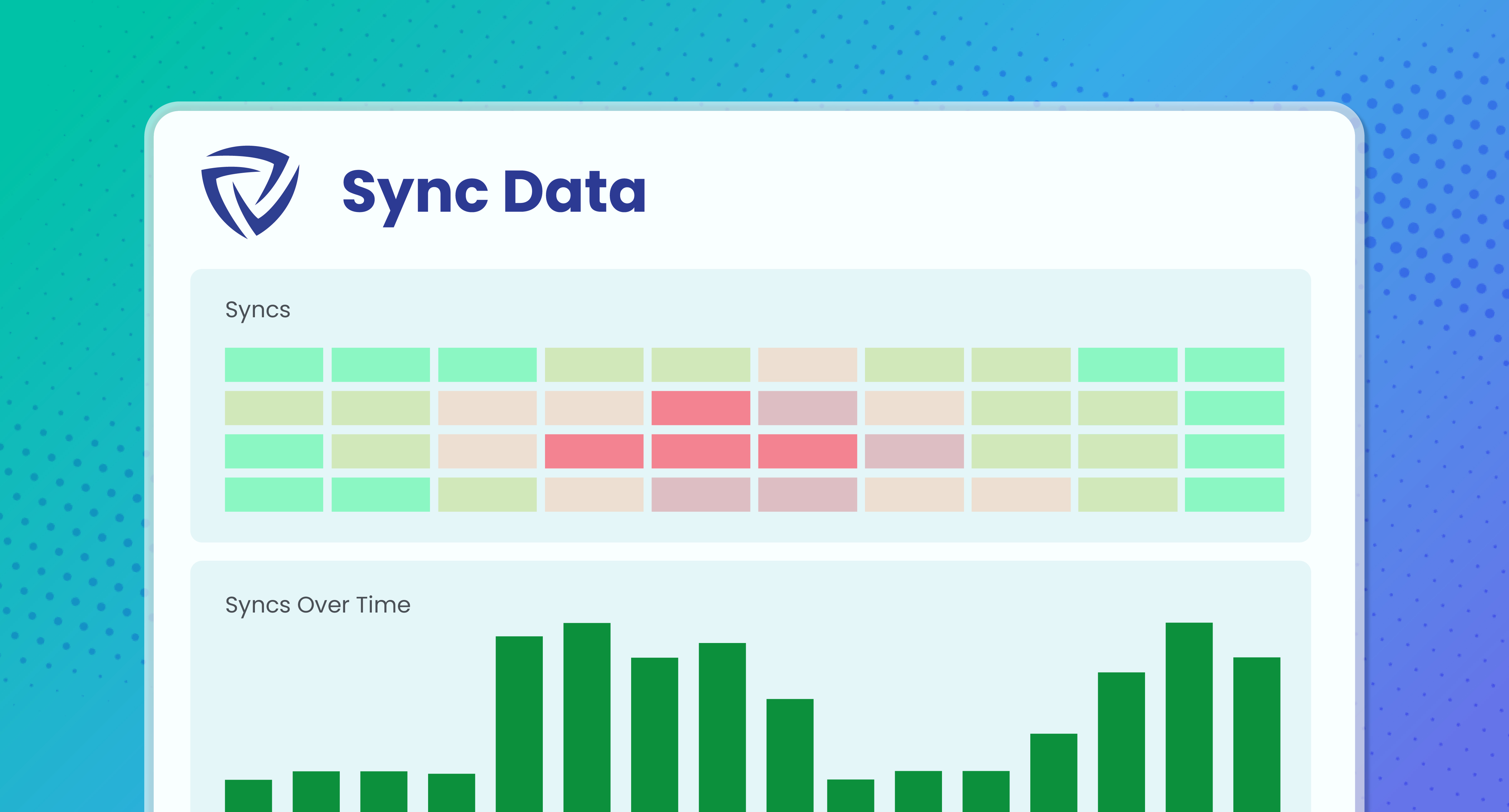
Through our Guardian Backstage™ and Project Central™ features, admins can view sync and queue data across end-users, teams, projects, and the firm to see who is syncing when and how often.
sync queue in project central
Through Project Central, users can have visibility into the sync activity of everyone on the project.

As a smaller office, my time as an architect is split between projects and BIM management. Guardian helps tremendously in taking the sins of bad modeling out of my realm of concern. While also ensuring adherence to company standards with the checking and syncing of cloud-based property settings. This gives us a consistent deliverable across projects and cuts down significant QA/QC time. The ROI is well worth it.

Gordon McKenzie headshot
Gordon McKenzie
Project Architect

Once set up, it is an incredibly easy software to maintain with little required input. Guardian has significantly helped us to clean up our models, families and practices. We LOVE it!

John Schupbach
John Schupbach
Architectural Associate

At this point, Guardian is a no-brainer!

Dustin Foth
Dustin Foth
Designer

Frequently Asked Questions

Here are answers to commonly asked questions about Sync Traffic Control.

Does this work for non-cloud hosted models?
Yes! If it's a workshared-enabled model, Guardian's Sync Traffic Control works regardless of where it's hosted (e.g., LAN, Revit Server, cloud, etc).
Can end-users see who else is in the model with them?
Yes! With Project Central, you can allow your end-users to see who is in the model, who is currently syncing, where other users are in the queue, and more.
What happens when someone uses the “Sync Now” option? Does the queue still work?
Yes, absolutely! Whether users are using the standard option or “Sync Now,” Guardian checks for conflicts and initiates a queue if someone is already syncing.
How are the sync reminder settings different than Revit’s native sync reminders?

Guardian’s sync reminders are highly customizable and based on active time in the model. Admins can:
‍
- Set up multiple reminders that become more consistent if end-users keep snoozing the sync.
- Automate the compacting of the model.
- Remotely sync for users who have left their workstations.

Where can I see the sync queue?
The queue can be seen in Project Central™ as well as the Sync Monitor available through Registered Projects. You don't even have to open the model to view!
Additional Resources

Make the Most of Sync Control

Unlock the full potential of Guardian for Revit.
Follow the Data: Solving Real Revit Project Problems

Mastering Sync Traffic in Revit

From our Office Hours series, Guardian’s experts walk through all the features and functions of Sync Traffic Control.
Watch the session
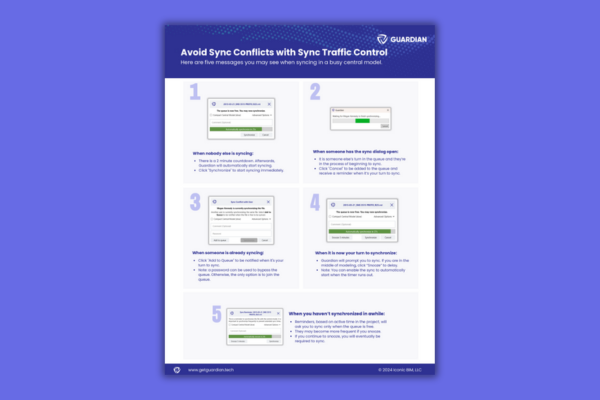
Sync Traffic Control one-pager

Sync Traffic Control User Guide

Help your team know what to expect when using Sync Traffic Control.
Read the guide
Live Session: Sync Traffic Control

Sync Traffic Control

Understand the benefits of Sync Traffic Control, and learn how to customize the feature for your firm.
Watch the session

Start Your Free 30-Day Trial

Discover everything Guardian can do for your firm.

Guardian graphic