
Revit projects and models can get out of hand quickly without effective management of worksets and families. Guardian automatically assigns the right worksets and merges duplicate families in the background or with just a few clicks.
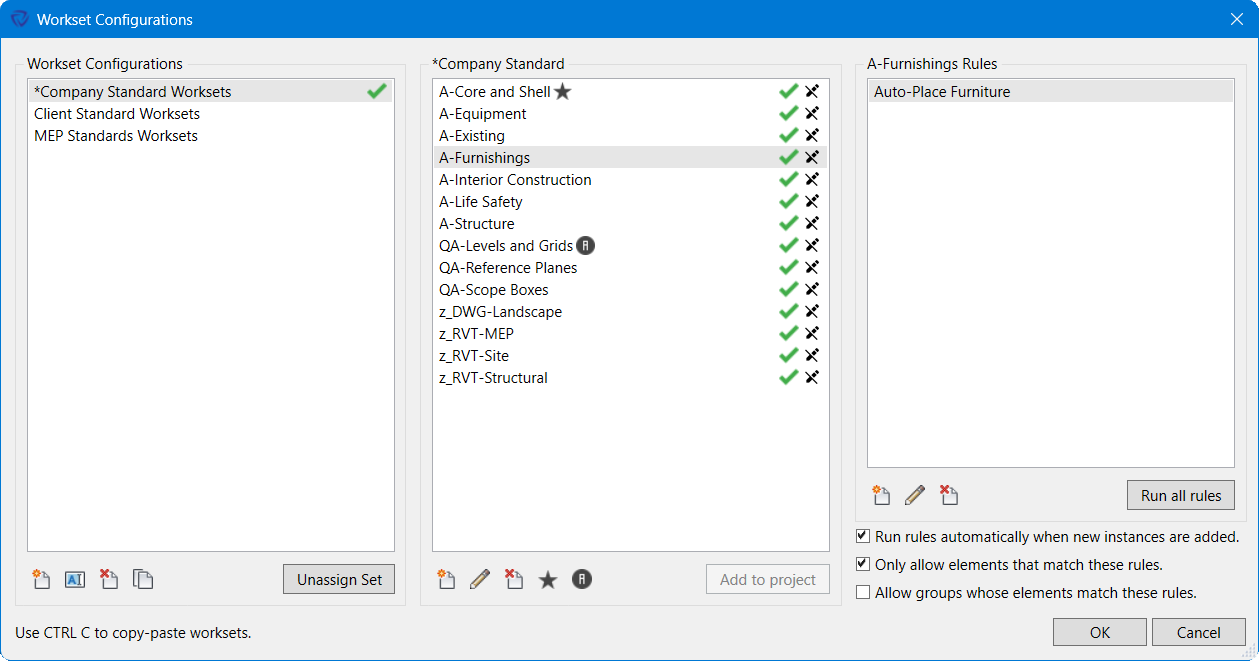
Guardian takes Revit functionality to another level, empowering firms to build their own standard workset lists and custom rules so elements are automatically placed onto their correct worksets.
Workset Configurations also let you set up rules to lock out worksets, ensuring only the correct elements are placed on those worksets.
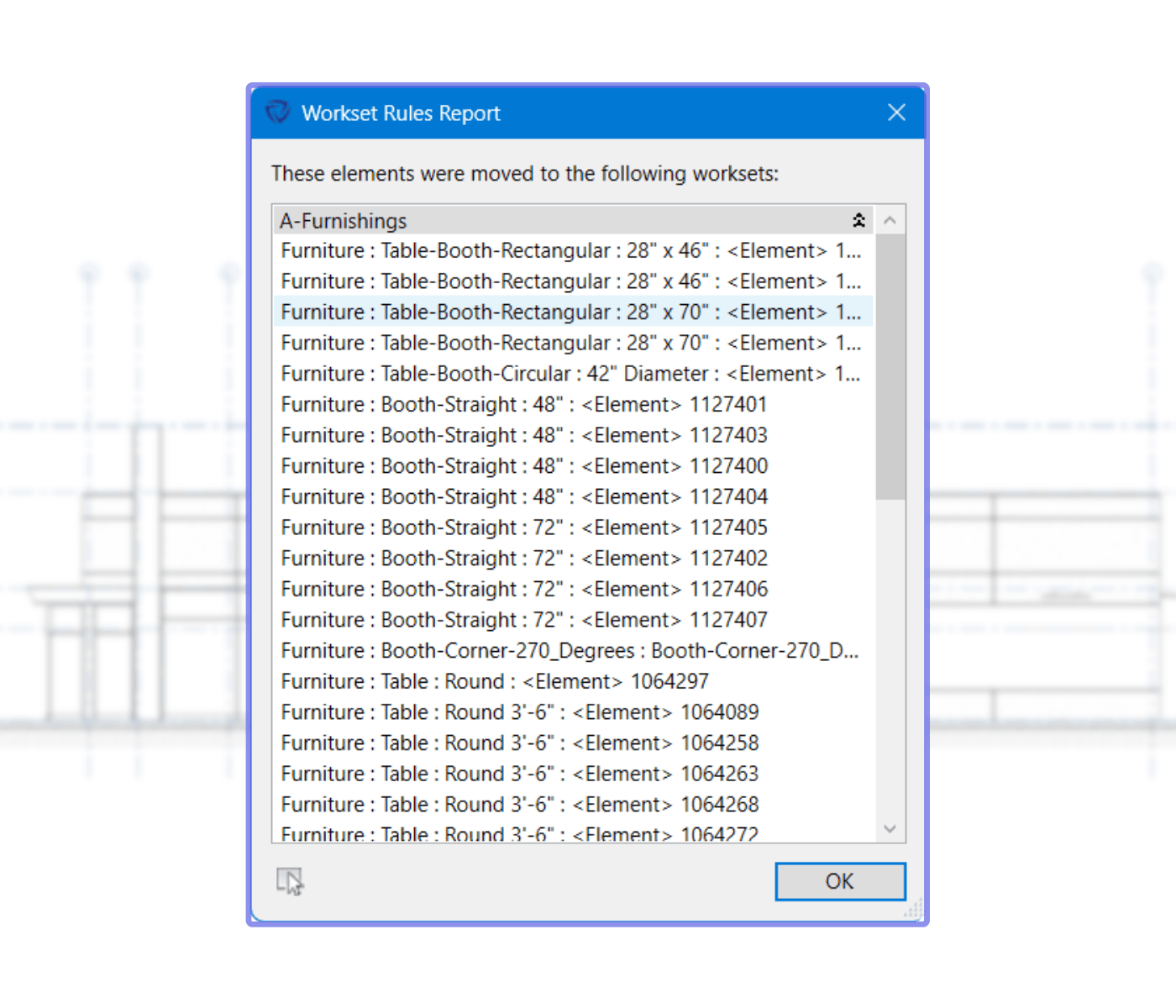
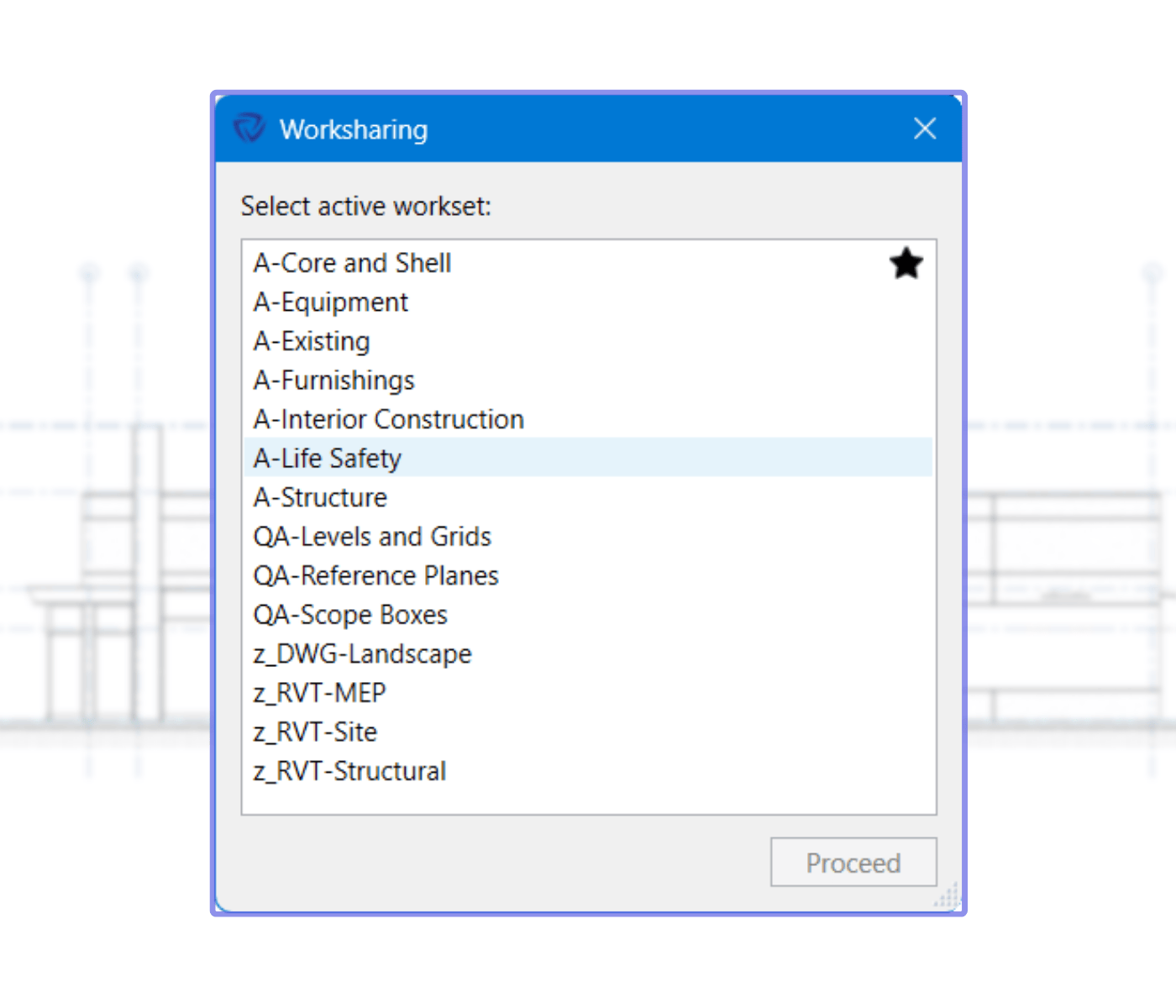
Ensuring elements are placed correctly becomes tricky if the incorrect workset is being used. Guardian’s automation prompts end-users to choose an active workset whenever they open shared files or models.
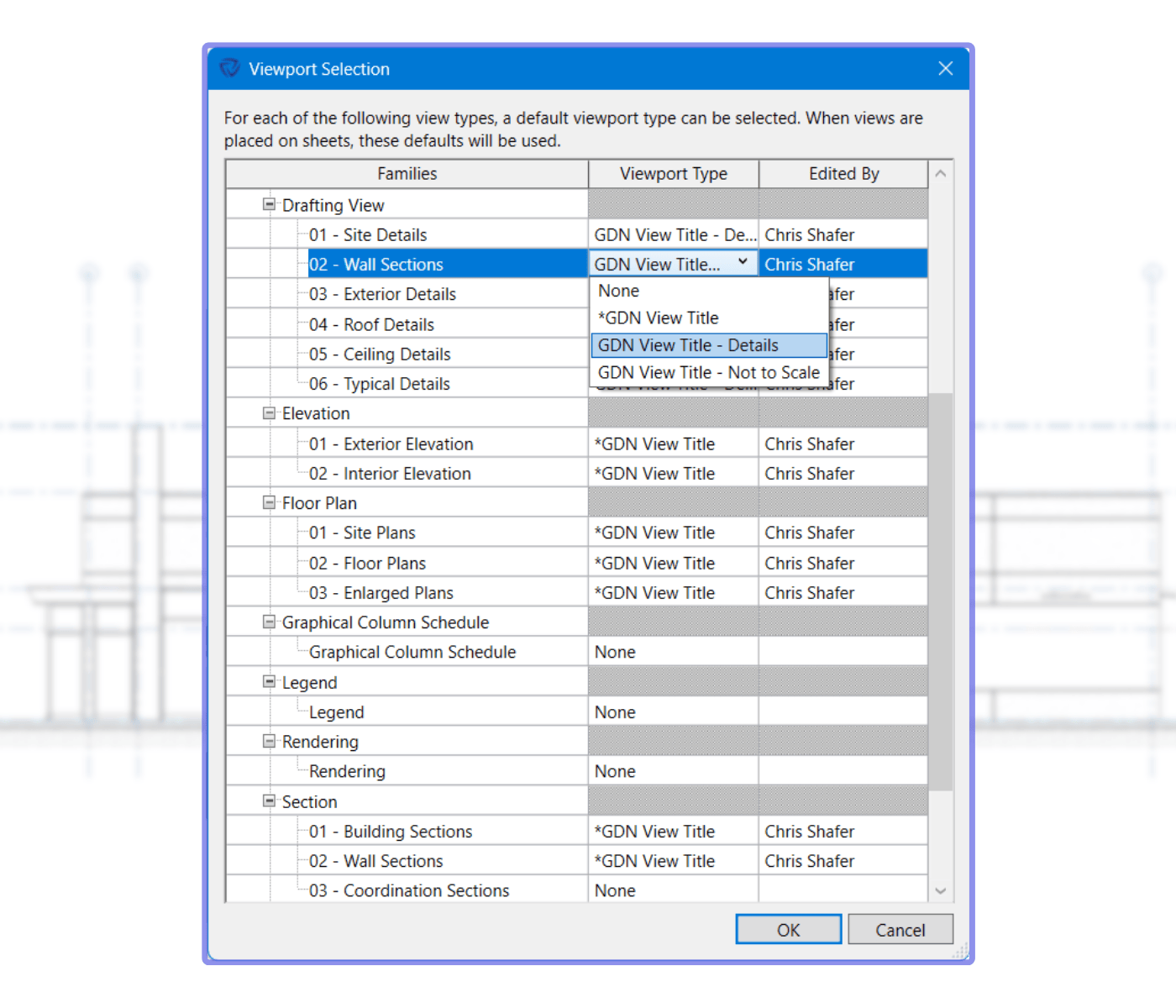
Revit’s Viewport Types vex users and admins to no end — standards can quickly spiral out of control unless you’re paying close attention. Guardian’s Viewport Selection automatically assigns the correct view titles to your views, saving time and ensuring consistency.
Besides easing your pain with views, Viewport Selection can apply view titles, or not, to Schedules, Renderings, Legends, and Walkthroughs.
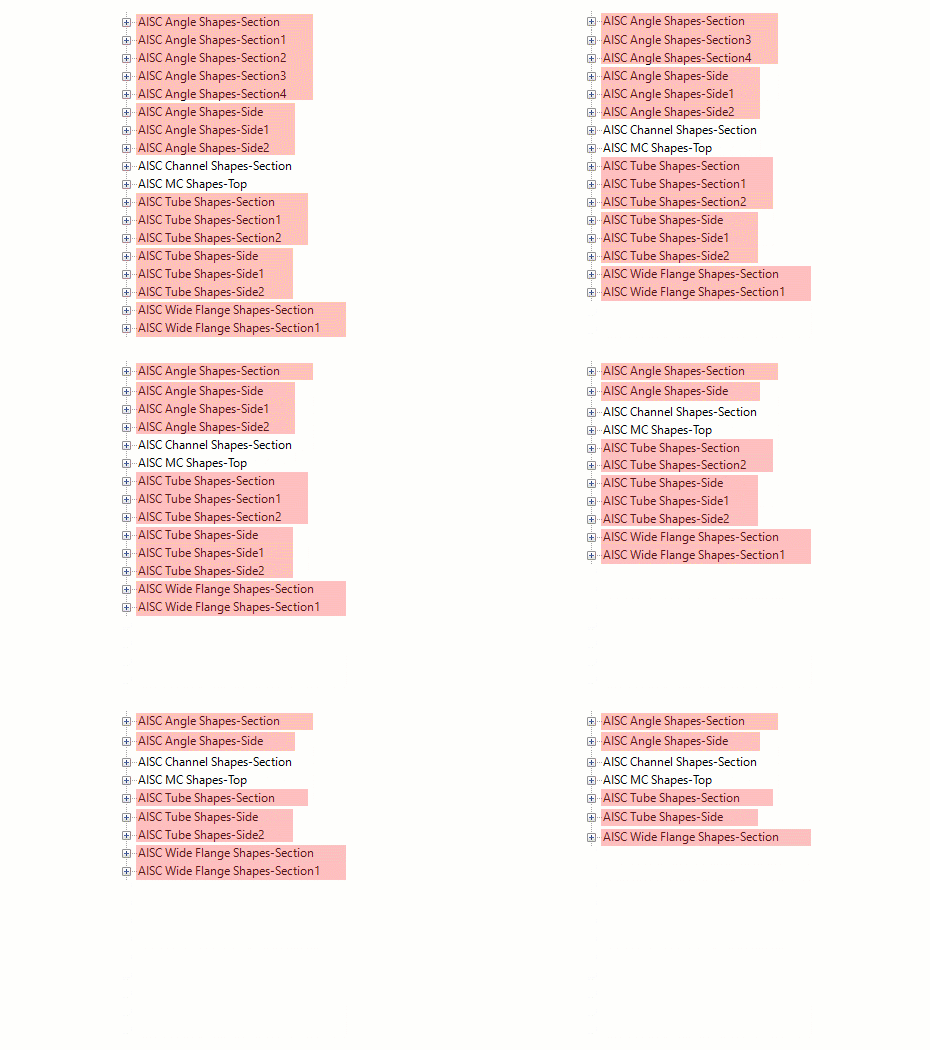
Revit loves to create duplicate families with those pesky 1s and 2s and 3s and suffixes. Auto Merging of Duplicate Families is one of our clients’ favorite Guardian features, for good reason — it eliminates all those extra families that Revit creates and reduces the file size of projects.
Guardian’s automations treat the Revit family in your project as the source of truth; imported or copied-and-pasted families are automatically merged with it.
Here are answers to commonly asked questions about Guardian's Revit automations.
Check out our articles, webinars, and guides about automations and other Guardian features.

Discover everything Guardian can do for your firm.
