Trusted by 350+ firms in over 20 countries

Managing Revit Should Save You Time, Not Steal It

Repeat Mistakes

End-users keep making the same errors, slowing down projects and frustrating the entire team.

Constant Juggling

BIM managers are too busy to train users, leading to inconsistent standards and repeated issues.

Missed Deadlines

Teams scramble to fix costly mistakes at the last minute, putting projects behind schedule.

Leadership Blind Spots

Firm leaders lack visibility into what's happening in Revit, creating a disconnect.

Spend Less Time on Mistakes, More Time on Strategy

Guardian helps firms move from reactive cleanup to proactive standards by guiding teams in real time and protecting critical work.
Dashboard mockup
Clean Your Models

Keep Standards Aligned Automatically

Ensure every project follows your firm's graphic and modeling standards, without manual intervention.
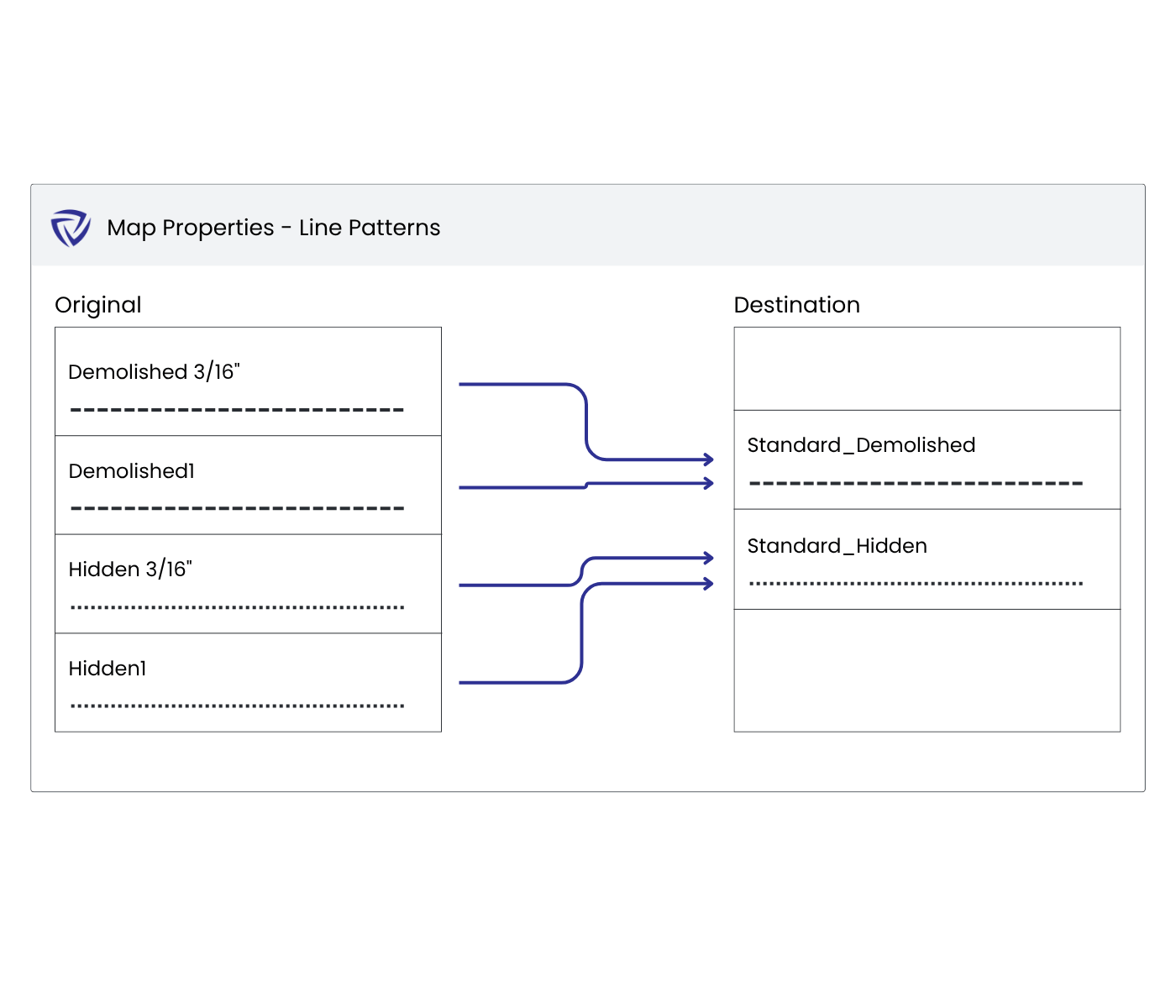
Automatically apply firm standards across every project.
Effortlessley create and place elements onto their correct worksets.
Avoid model bloat by automatically merging duplicate families.
Train Your Teams

In-the-Moment Learning

Empower users to learn your standards and follow best practices with proactive prompts right when they need it, directly in Revit.
Set protections for all API available Revit commands.
Prompt users to input parameter values when they place elements.
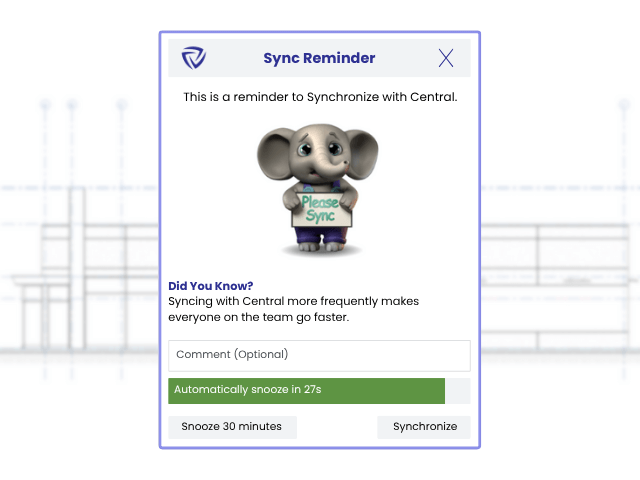
Program reminders for users to sync their work often.
Dashboard mockup
Dashboard mockup
Actionable Insights

Gain Visibility into Models and Teams

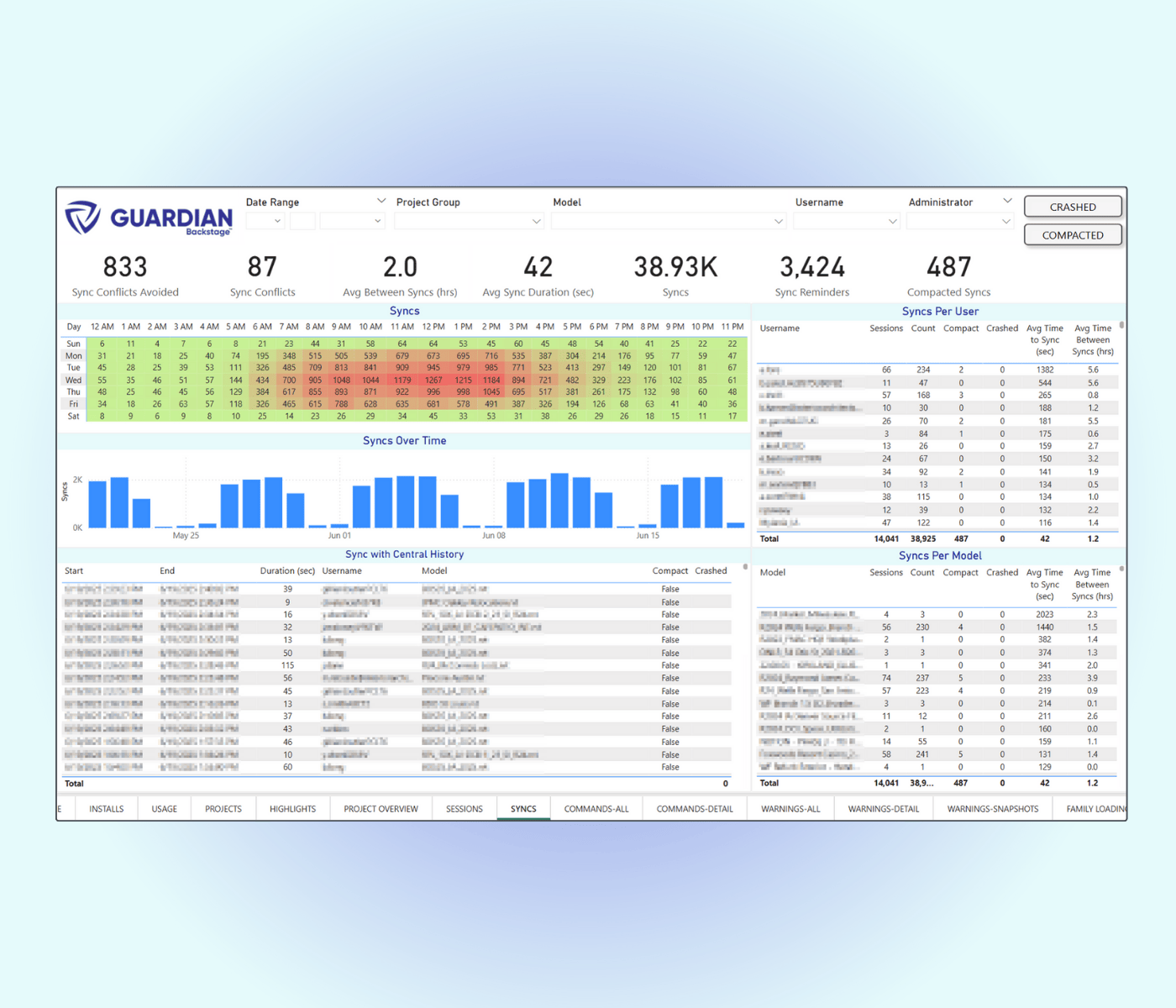
Access insights into Revit activity so you can drive proactive decision making to improve model performance, efficiency, and quality.
Track user activity and project performance in one dashboard.
Monitor Revit and Desktop Connector versions.
Surface trends across teams, models, and projects.

Why Design Technology Teams Love Guardian

Protects Your Projects

Lorem

Trains Your Teams

Provide firm standards and best practices directly in Revit, right when they need it.

Cleans Your Models

Sync properties automatically, merge duplicate families, and place elements on the correct workset.

Provides Actionable Data

Learn how your users are working in Revit to drive proactive, strategic decision-making to improve efficiency and quality.

"We are finding huge benefits in Guardian and the quality control it provides! Sync Traffic Control is helping to prevent multiple users from syncing, which results in long sync times. And it's helping us refine our training curriculum!"

Daniel Friesen
BIM Coordination Specialist, Arcadis U.S

"This is the best add-in tool we've found for managing large amounts of office standards within a project as an automated, hands-off approach."

Cody Rau
Director of BIM Management, Design Innovation Architects

"Great tool for addressing limitations in Revit and saving some  heartache for BIM Teams!"

Kinjal Ajmera
BIM Manager, HMC

"Guardian is an indispensable tool for modern BIM management.  It's 25 years later and we can't use Revit like we did Revit 24 years ago."

Oscar Medellin
BIM Manager, Treanor

"Guardian helps tremendously in taking the sins of bad modeling out of my realm of concern. While also ensuring adherence to company standards with the checking and syncing of cloud based property settings. This gives us a consistent deliverable across projects and cuts down significant QA/QC time. The ROI is well worth it."

Gordon McKenzie
Project Architect, three
Guardian 101

What You Need to Know

Learn more about how Guardian works, who it's for, and how you can get access.
What is Guardian?
Guardian is a Revit add-in that protects your projects, trains your teams, cleans your models, and safeguards your firm's bottom line.

Guardian provides proactive tools and actionable insights into how your users are working in Revit so you can improve model performance, identify training opportunities, and proactively prevent mistakes before they happen.
How does Guardian help BIM managers day-to-day?
We've been in your shoes and know how frustrating it can be to fix the same mistakes and miss deadlines.

Guardian can be fine-tuned to enforce standards and best practices, provide in-the-moment training, protect critical modeling rules, and surface high-value project insights so you can focus on higher-impact work.
Will this slow teams down?
No. In fact, it often makes teams more efficient. Guardian delivers standards, guidance, and training in the moment, right when teams need it. That means fewer mistakes, less rework, and more consistent output from the start.
How does this fit into existing workflows?
Guardian is designed to fit seamlessly into the way teams already work in Revit. It can be silently deployed to all users’ machines, with no manual setup required from end users.

When guidance or protection is needed, Guardian surfaces Command Messages at the time a user is performing an action, helping them do it correctly without pulling them out of their workflow.
Do you have a free trial?
Yes! We have a firmwide free trial for up to 30 days. During the trial, you will have full access to all of Guardian's features and ongoing support from our team to help you configure new features, review your data, and see ROI.

See Guardian in Action

Request a demo and get access to a free 30-day firmwide trial.